
Secure Remote Access for DataTalk
Every machine. Every site.
One secure connection.
myACCESS connects your DataTalk IPC, DataTalk Panel and the PLCs behind them to you through an encrypted tunnel. Open your HMI and dashboards in any browser, or program PLCs as if you were standing next to the cabinet. No public IP. No port forwarding. No firewall headaches.
✔ End-to-end encrypted
✔ Unlimited users over HTTPS
✔ Remote PLC programming

AES-256
encrypted tunnel

No public IP
required

No port forwarding,
works behind NAT & LTE

Integrated
firewall

Role-based
access control
Why remote access
Stop Driving To The Machine. Start Fixing It.
Every service trip costs hours, fuel and downtime. With myACCESS your engineers diagnose, adjust and reprogram equipment the moment a problem appears – wherever they are, wherever the machine is.
Faster response,
less downtime
Ideal for pump stations, reservoirs and treatment plants spread across large areas.
Lower service costs
Cut travel and on-site visits. One engineer supports machines across countries from a single desk – and the whole team views HMIs and dashboards at no extra cost per user.
Security IT will
sign off on
No holes in the customer’s firewall, no exposed devices. Encrypted, authenticated connections – only for the people you allow.
How it works
Secure Tunnels, Zero Network Configuration
The DataTalk device on site builds an encrypted tunnel to the myACCESS cloud from the inside. Your site network stays closed – people reach the device through the cloud, never directly.
01
Connect your DataTalk device
Activate myACCESS on a DataTalk IPC or DataTalk Panel. It registers securely with the myACCESS cloud and gets its own encrypted VPN identity.
02
Invite your team
Give operators, managers and service partners access over HTTPS – with role-based rights and no limit on the number of users.
03
Access from anywhere
Open DataTalk applications in any web browser. Engineers install the Windows client and reach PLCs as if they were on the local network.
security by design
Remote Access Without Opening the Door
Most industrial breaches start with an exposed device or a forgotten port forward. myACCESS removes both – your equipment is never directly reachable from the internet.

Layered protection on every connection
Each session passes through several independent layers before a single packet reaches your PLC.
01
User authentication & role check
02
Per-device VPN identity
03
End-to-end encrypted tunnel (AES-256)
04
Integrated firewall
05
Closed site network – no inbound ports
No open inbound ports
No public IP, no port forwarding, no exceptions in the plant firewall. Devices stay invisible to internet scanners and work behind NAT and mobile networks.
End-to-end encryption
Browser users connect over HTTPS; engineering traffic travels through a VPN tunnel encrypted with AES-256. Nothing crosses the internet in clear text.
Unique device identity
Every connected device receives its own encrypted VPN identity. Devices are individually registered – nothing joins your account by accident.
Role-based access control
Decide exactly who may reach which machine or site. Operators view, engineers program – each sees only what they are allowed to.
Integrated firewall
Built-in firewall protection controls the traffic inside the tunnel, so remote access never becomes an open path into the plant network.
Hardened DataTalk hardware
DataTalk IPC and DataTalk Panel run a CRA-ready OS with automatic security updates, designed for EU Cyber Resilience Act compliance.
datatalk ecosystem
One Secure Link For Your Whole DataTalk Stack
myACCESS is built into DataTalk hardware and gives secure remote access to every DataTalk application running on it. Pick the device, add the software you need – remote access comes with it. Running DataTalk software on your own PC or server? myACCESS works there too, for secure HTTPS access.
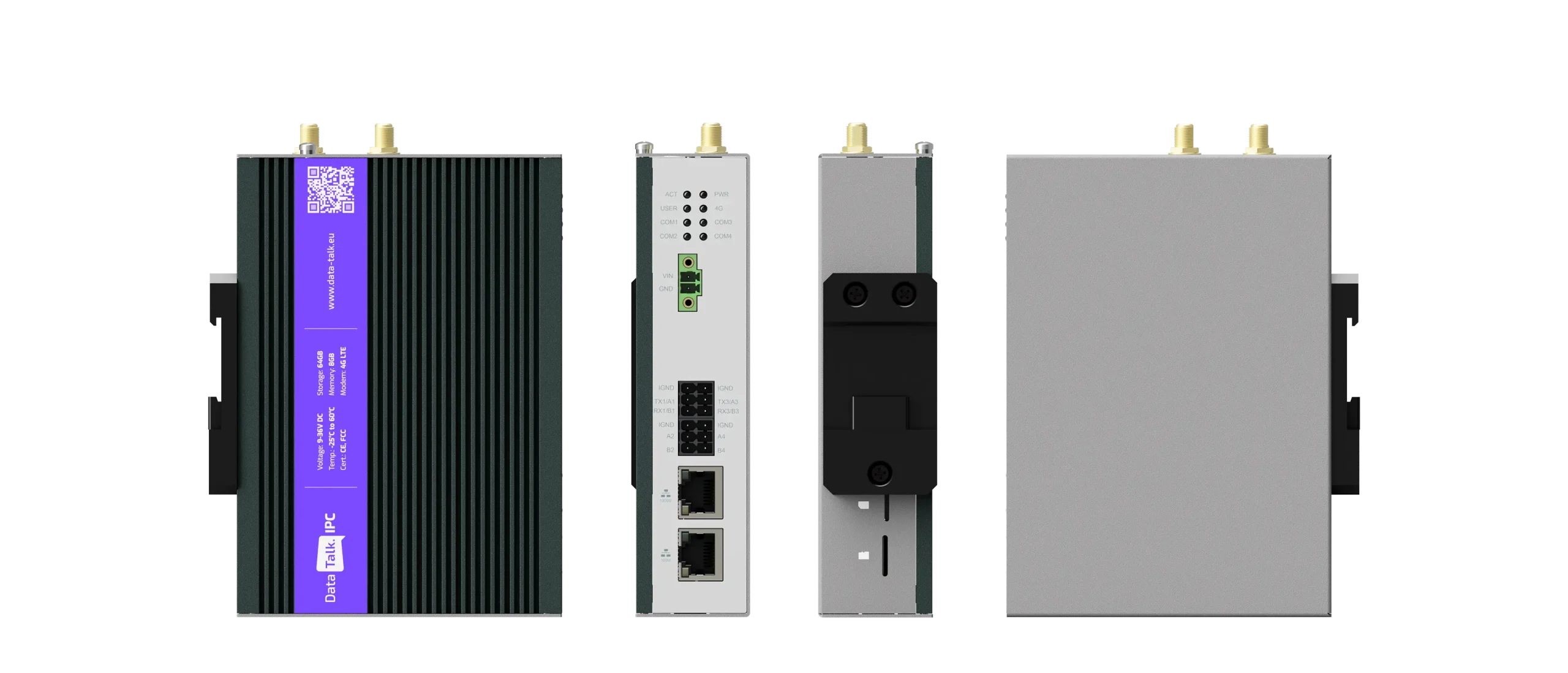
edge gateway
DataTalk IPC
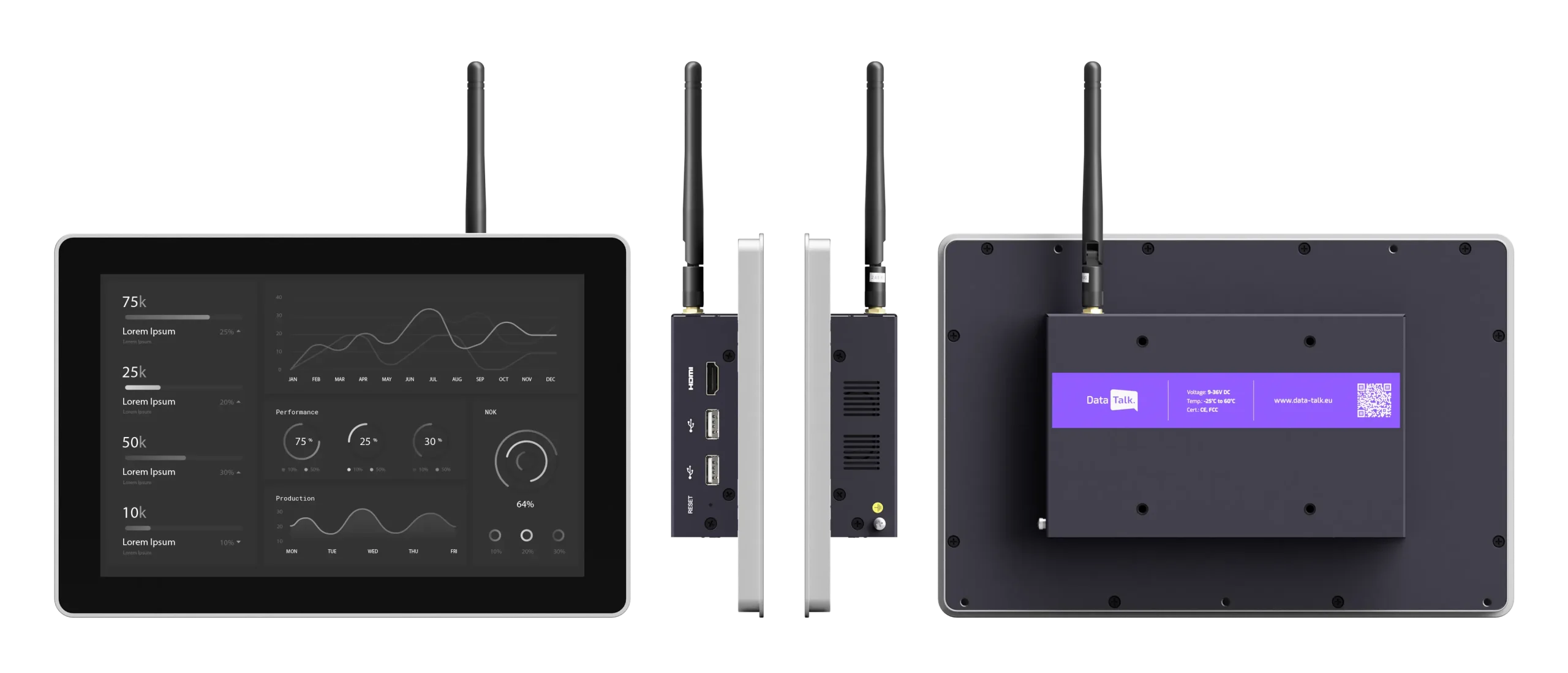
operator panel
DataTalk Panel HMI
Industrial touchscreen panel with embedded web configuration, secure browser and myACCESS VPN for remote service and diagnostics. Run DT Web HMI on board or show any web-based SCADA.
7″- 21.5″ displays
IP65 front
Wi-Fi, optional LTE
CRA – ready OS
OPC UA – Modbus – EtherNet/IP – MQTT
DataTalk software – available anywhere over HTTPS
Alarm & Notify
The Alarm & Notify scans your technology in real time, notifying you of irregularities via email, SMS, WhatsApp, Discord and more. Chat with your system (via AI), asking about current status, issues, and solutions.

AI SCADA
AI SCADA with its fully web-based platform and integrated real-time Project Designer comes loaded with AI-driven analytics, 2D/3D views, live dashboards, advanced charts etc. and a no-code graphical compute module.

Web HMI
This product creates periodic reports (using charts, tables, images) of your technology, automatically generated from user-designed templates in MS Word or Excel.

Real-time Dashboards
This product creates periodic reports (using charts, tables, images) of your technology, automatically generated from user-designed templates in MS Word or Excel.
Running DataTalk software on your own hardware?
DT Web HMI, DT Real-time Dashboards, DT Alarm & Notify and DT AI SCADA can use myACCESS on your own industrial PC, server or virtual machine, too. In that case remote access is limited to secure HTTPS access to the application. For VPN tunnelling, PLC programming and access to other devices on the site network, use DataTalk IPC or DataTalk Panel.
✔ HTTPS access to DataTalk apps
✔ Unlimited users
– No VPN tunnel / PLC programming
industries
Trusted Wherever Machines Run Unattended
DataTalk talks to Siemens, Allen-Bradley, Beckhoff, Schneider, Omron, B&R, WAGO and many more – so myACCESS fits whatever you build, operate or maintain.

Water & Wastewater
Pump stations, reservoirs and treatment plants spread across large areas.

Energy & Utilities
Substations, district heating, gensets and distribution networks.

Renewables
Solar parks, wind turbines, biogas and battery storage sites.

Machine Building
OEM after-sales service for machines installed at customers worldwide.

Manufacturing & Food
Production lines, packaging and process equipment with minimal downtime.

Building Automation
HVAC, access control, energy and smart-building systems.

Oil & Gas
Wellheads, compressor stations, tank farms and pipelines.

Agriculture
Greenhouses, irrigation, livestock and grain-handling systems.
subscription
Pay For Devices, Not For Viewers
Every end device connected to myACCESS has a device subscription – and any number of users can access it over HTTPS. Need to program PLCs remotely? Add a user subscription for each engineer.
REQUIRED FOR EVERY DEVICE
Device Subscription
One subscription per end device connected to myACCESS. Your whole team accesses it securely over HTTPS – no “per-viewer” fees.
- Unlimited users per device
- Secure HTTPS access to Web HMI, Real-time Dashboards,
Alarm & Notify and AI SCADA - Access from any web browser – nothing to install
- The more devices, the better the price
ADD-ON FOR ENGINEERS
User Subscription
Required for remote PLC programming. Gives an engineer a personal, encrypted VPN tunnel to the devices behind a connected DataTalk device.
- Full VPN tunnel via the Windows client
- PLC programming with your own engineering tools
- Access to drives, cameras and other Ethernet devices
- Personal account – full accountability
Service & Support: The license is perpetual, with 5 years of free version upgrades and security updates included. A new major version is released annually, and your license remains eligible for free upgrades throughout the 5-year period; after that, a new license is required for further major-version upgrades.
Which subscription do I need?
| You want to… | Device | User |
|---|---|---|
| View HMI, dashboards and alarms remotely – any number of people | Yes | Not needed |
| Program or debug a PLC remotely | Yes | Per engineer |
| Configure a drive or check an IP camera on site | Yes | Per engineer |
| Access DataTalk software on your own PC or server (HTTPS only) | Yes | Not available |
FAQ
Common questions,
quick answers
Whether it’s a question, suggestion, or compliment, we’re here to listen. Reach out via contact form. We’ll get back to you promptly.
Connect Your First Machine Today
Add myACCESS to your DataTalk IPC and DataTalk Panel, or get a quote for your installed base.
Our automation specialists will help you set it up.
Get in touch
Your feedback matters
Whether it’s a question, suggestion, or compliment, we’re here to listen. Reach out via contact form. We’ll get back to you promptly.
office
Czech Republic
Velvarská 1699/29
Prague
Czech Republic
office
Germany
Marktplatz 6
Thierstein
Germany
I have read and agree to the Privacy Policy.