
datatalk manager
Manage Edge Software the
Way you Manage an App
DataTalk Manager runs your industrial software in containers on DataTalk Panels and IPCs. It configures each device from a web browser and handles the whole release lifecycle: signed delivery, version switches in about six seconds, instant rollback, plugins and security updates.
6 s
Switch to a new
runtime version
1 click
Roll back to
the previous version
PGP
Signed runtimes
and plugins
0
Extra software. A browser
is all you need


one platform, three jobs
Runtime host, lifecycle engine
and device console
Every DataTalk Panel and DataTalk IPC ships with DataTalk Manager. It sits between the hardened operating system and the application. It runs the software, keeps it current and secure, and gives integrators one web interface for the whole device.
Container runtime
DataTalk and other software run as isolated container images, separate from the OS. Start, stop and watch them from one place.
Release lifecycle
Download, verify and import new versions. Switching runs in about six seconds, and the previous version stays on the device so you can roll back.
Security built in
Packages are checked against PGP signatures, and the OS receives automatic security updates. Users, groups and two-factor login protect access.
Plugin management
Add functions as plugins. Each one has its own version, autostart flag and settings form, and plugins update separately from the main runtime.
Web device configuration
Configure every part of the device in the browser, with no extra tools to install. Hardware-specific screens appear only when the device has that hardware.
Fleet & remote access
Connect devices to a central Supervisor over MQTT with certificates, and reach any device remotely through myACCESS VPN.
Updates & rollback
6 s
From New Version to Running
New versions are downloaded and verified in the background while the current runtime keeps running. To switch, the Manager stops the old container and starts the new one,
which takes about six seconds of downtime.
The previous version stays on the device. If anything looks wrong, make it the default again and you are back in seconds, with no reinstall and no site visit.
release lifecycle
Every release goes through
the same five steps
The process is the same for a DataTalk runtime, a plugin or your own application.
01
Build
Package the application as a container image or plugin.
02
Sign
Sign it with your PGP private key. Devices hold only the public key.
03
Publish
Upload it to your update server, on the stable channel or a test channel.
04
Deploy
Devices download it, verify the signature and switch over in about 6 s. Offline sites can import from a file or USB.
05
Operate
Monitor, back up and roll back. OS security updates install independently.
for software companies
Your software, on rugged hardware, with a lifecycle already built
DataTalk Manager is the same distribution platform DataTalk uses to deliver its own software, and you can use it too. Point devices at your update server, add your PGP keys and ship your application to DataTalk Panels and IPCs. You don’t have to build an OS, an updater, a security process or a configuration UI.
Illustration of the Deployment settings and an update sequence.
enable        true
prefix        "test"          # update channel
server        "https://update.yourco.com/update/"
username      "fleet"
pgp_keys      -----BEGIN PGP PUBLIC KEY BLOCK-----
              … your public key …
              -----END PGP PUBLIC KEY BLOCK-----
✓ found last_version_test_…  2.4.0
✓ signature valid (yourco release key)
✓ imported runtime 2.4.0
✓ switched default 2.3.9 → 2.4.0   5.8 s
Your update server
Set a custom update server URL, with optional login. Devices pull releases from your server, not ours.
Your signing keys
Add your own PGP public keys. Only software signed by you is installed, and expired or private keys are rejected.
Release channels
A channel prefix lets test devices take test builds while production stays on stable.
Your brand
Upload a custom logo for the panel. Device names, tenants and groups match your customer structure.
Platform included
DataTalk maintains the OS lifecycle, security updates, drivers and hardware integration. You focus on your application.
Lower service cost
Use remote access, backups and instant rollback to fix problems without sending someone on-site.
where it runs
Included on every DataTalk device
The Manager runs on DataTalk Panel HMIs and DataTalk IPCs. Each device has the same interface and lifecycle, and shows the settings for its own hardware.
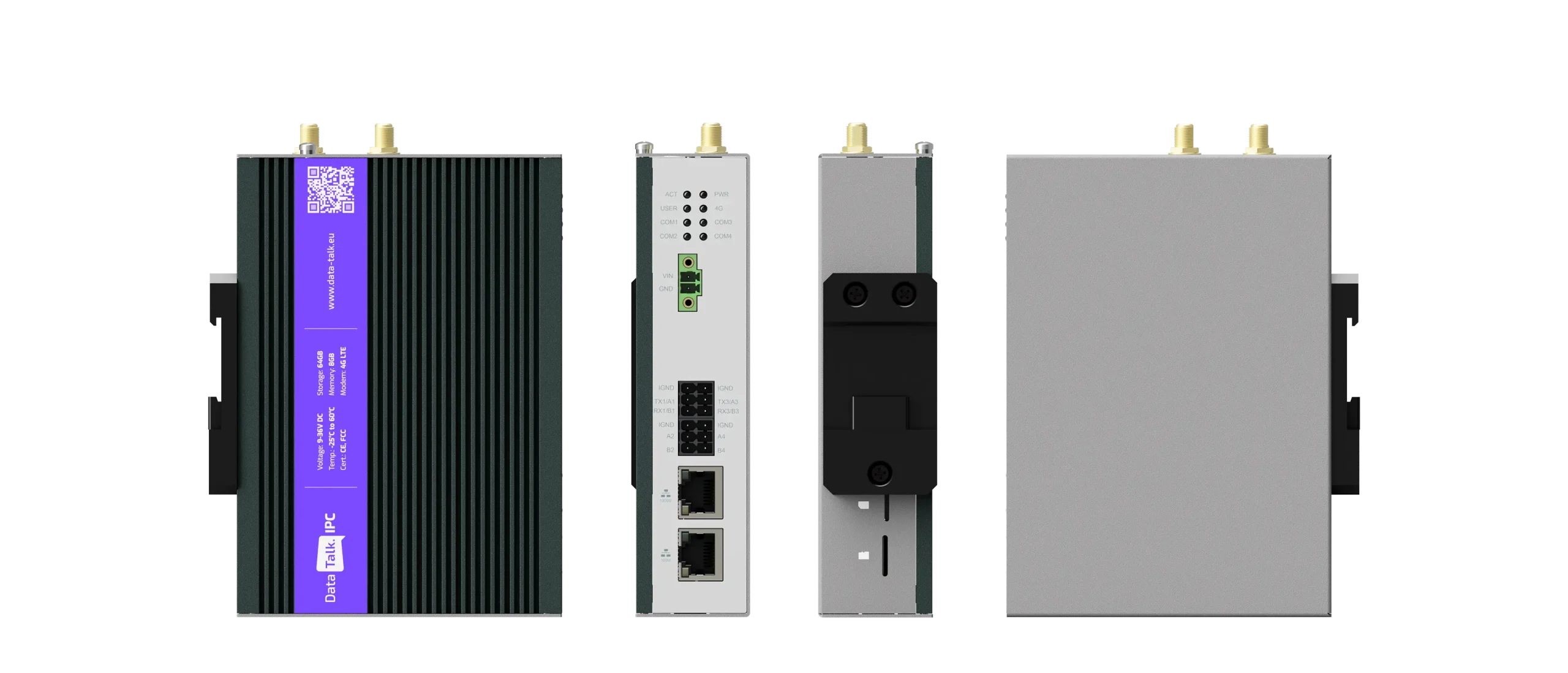
edge gateway
DataTalk IPC
Quad-core ARM 2.4 GHz
8 GB RAM
4G LTE + Wi-Fi
2× Ethernet
2 x RS485 / 2 x RS232
-25 to 60 °C
CRA-rady OS
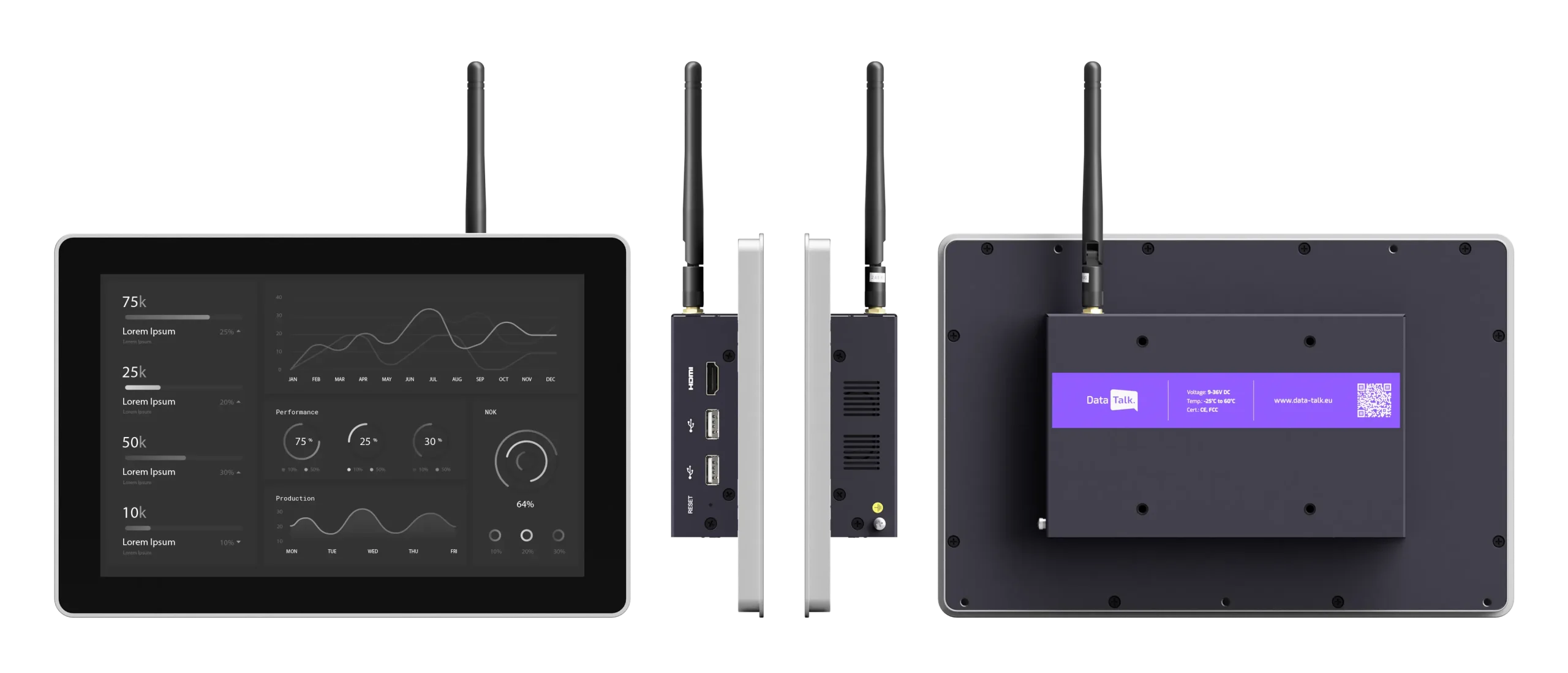
operator panel
DataTalk Panel HMI
Industrial touchscreen panel with embedded web configuration, secure browser and myACCESS VPN for remote service and diagnostics. Run DT Web HMI on board or show any web-based SCADA.
7″- 21.5″ displays
IP65 front
Wi-Fi, optional LTE
CRA – ready OS
OPC UA – Modbus – EtherNet/IP – MQTT
DATATALK MANAGER
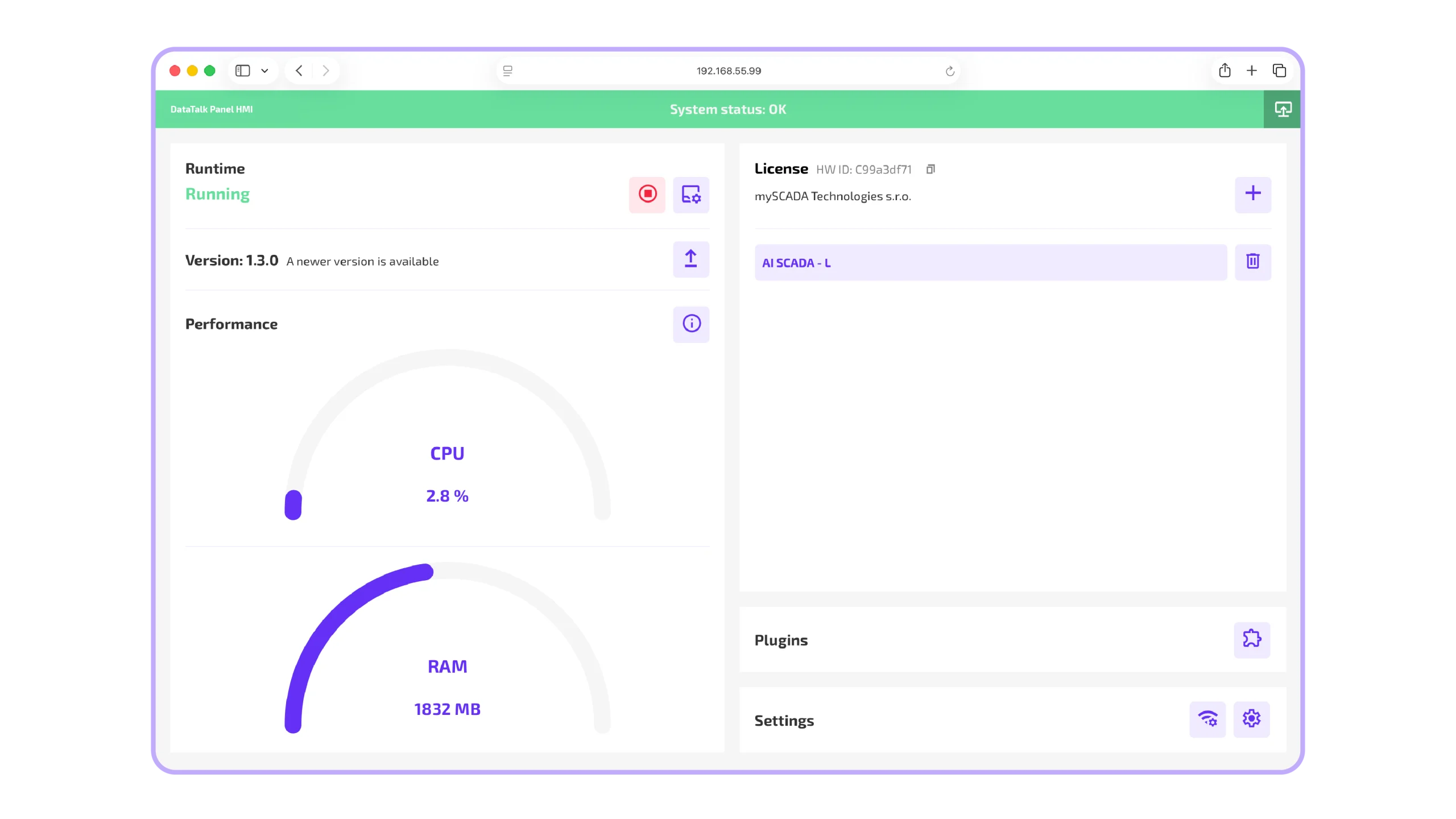
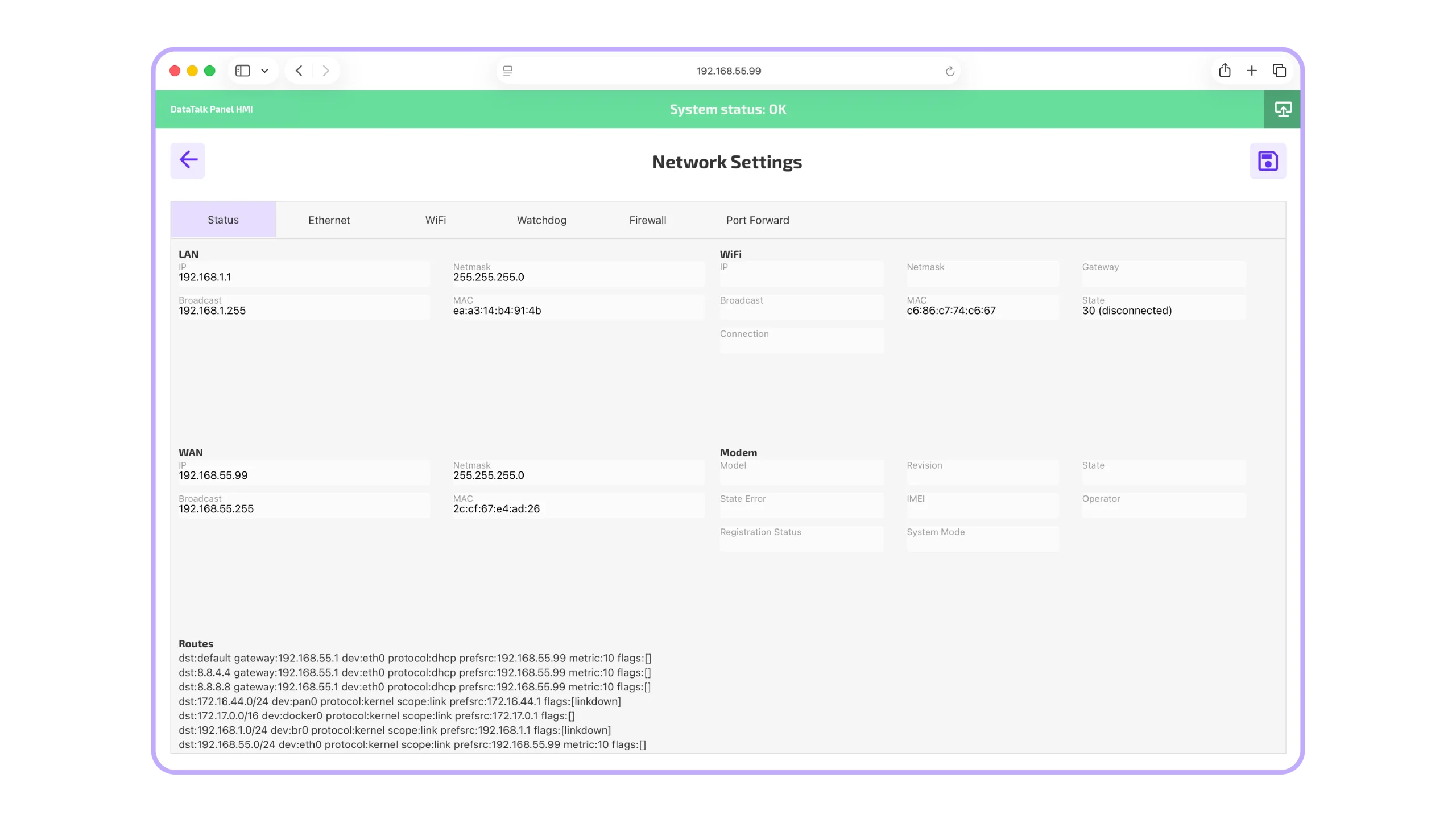
Screens From DataTalk Manager
Runtime, performance and licensing on one screen
Network and device settings
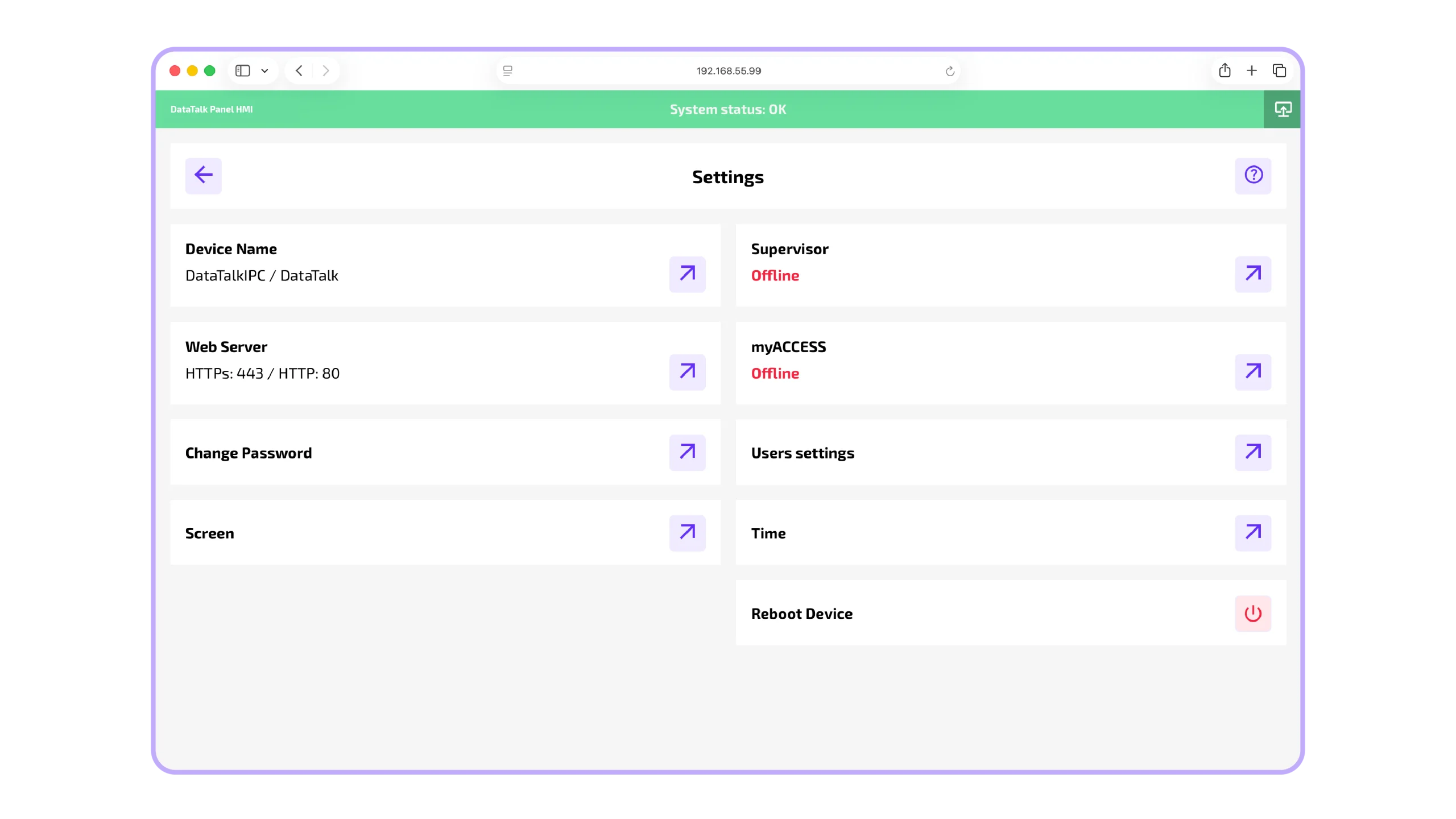
Panel and system configuration
FAQ
Common questions,
quick answers
Whether it’s a question, suggestion, or compliment, we’re here to listen. Reach out via contact form. We’ll get back to you promptly.
resources
Download section
Installation packages and more information about our products at a glance
Software:
capabilities
What the Manager Does
| Runtime | Start / stop·multiple versions kept side by side·set default·import from file or online·release notes·live CPU, RAM and disk graphs (10 min – 24 h)·process list |
|---|---|
| Lifecycle | Online update check·~6 s version switch·1-click rollback·update channels·custom update server·Manager self-update·OS update online or from USB·automatic security updates |
| Plugins | Install·update·autostart·start / stop·remove with data·per-plugin settings forms·PGP verification |
| Security | PGP-signed packages·users & groups·two-factor authentication (authenticator app)·HTTPS·firewall rules per interface·CRA-oriented OS lifecycle |
| Network | Ethernet LAN/WAN (bridge or independent, DHCP server)·Wi-Fi client / AP·external Wi-Fi·LTE modem & SMS·routing table·port forwarding·network watchdog |
| Fleet | Supervisor connection over MQTT with certificates·myACCESS VPN remote access·tenants·groups·backup & restore across devices·service logs |
| Device | Name & location·time zone / NTP·storage limits·SMTP notifications·web-server ports·panel screen: orientation, dimmer, cursor, logo, volume, server URL·licensing by HW ID |
Ship software to the edge without building the platform first.
Use DataTalk on DataTalk hardware, or bring your own application. DataTalk Manager handles deployment, updates, rollback and security on every device.
Get in touch
Your feedback matters
Whether it’s a question, suggestion, or compliment, we’re here to listen. Reach out via contact form. We’ll get back to you promptly.
office
Czech Republic
Velvarská 1699/29
Prague
Czech Republic
office
Germany
Marktplatz 6
Thierstein
Germany
I have read and agree to the Privacy Policy.